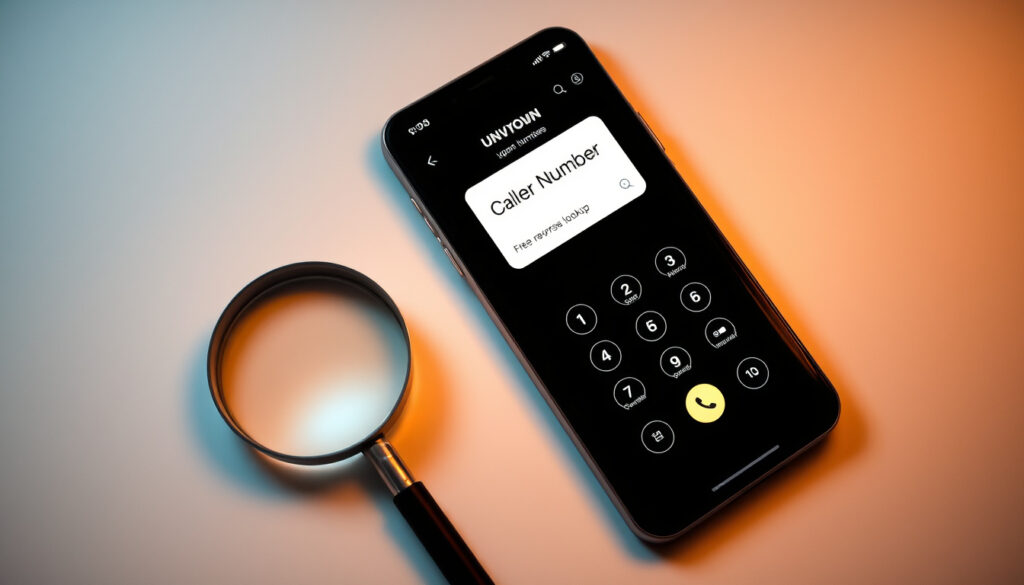
Who Called Me from This Phone Number? Free Lookup Guide
Someone called you from an unknown number and your phone offered nothing but the digits. You’ve been there. The first question most people reach for is simple: who called me from this phone number? Free tools can now answer that within seconds — and for Ireland specifically, dedicated directories make local lookups even more reliable.
Primary free tool: Truecaller · Ireland directory: phonenumbers.ie · Spam blocker app: Sync.me · Google integration: Phone app caller ID · Reverse lookup speed: Seconds via Truecaller
Quick snapshot
- Truecaller delivers name, location, and spam risk for free (Truecaller Reverse Phone Lookup)
- Over 500 million people rely on Truecaller globally for caller identification (Truecaller Reverse Phone Lookup)
- Truecaller supports Ireland via the +353 country code selector (Truecaller Reverse Phone Lookup)
- Exact accuracy rates for Irish numbers remain proprietary
- Daily lookup limits on iOS free tier are not publicly specified
- Whether landline numbers in rural Ireland appear in the database depends on community contributions
- Enter the unknown number in Truecaller’s search bar, sign in, and see the caller within seconds
- Check phonenumbers.ie for Ireland-specific evaluations of the number
- Use community reports to determine if the number is spam or a genuine caller
- Truecaller flags spam, scam, and telemarketer numbers via community reports (Truecaller Spam Lookup)
- Google Phone app provides built-in spam protection for Android users (Truecaller Caller ID)
- Community-contributed spam labels help other users avoid unwanted calls (Truecaller Spam Lookup)
Four tools dominate the free reverse phone lookup space for Irish users, each with a distinct strength.
| Tool | Primary strength | Platform | Cost |
|---|---|---|---|
| Truecaller | Global database with spam flags | iOS, Android, web | Free core features |
| phonenumbers.ie | Ireland-specific evaluations | Web | Free |
| Sync.me | Caller ID and spam blocking | iOS, Android | Free |
| Google Phone app | Built-in caller ID | Android | Free |
How can I find out who called me for free?
Free reverse phone lookup tools let you type in any number and pull up the caller’s identity, location, and whether others have flagged them as spam. The process takes under a minute and works for mobile, landline, and VoIP numbers.
Using Truecaller reverse lookup
Truecaller’s reverse phone lookup tool lets users enter a number and receive the caller’s name, location, spam risk, and comments from other users who have received calls from that number (Truecaller Reverse Phone Lookup). The platform is trusted by over 500 million people globally for identifying unknown callers and spam (Truecaller Reverse Phone Lookup).
To perform a lookup, users select their country — including Ireland via the +353 country code — enter the number, sign in with an email or social account to prevent bot usage, and view the results (Truecaller Blog Free Number Lookup). The sign-in requirement blocks automated queries while keeping basic lookups free for legitimate users.
Core identification provided at no cost includes name, location, line type, and a spam warning if the number has been flagged by the community (Truecaller Reverse Phone Lookup). Free lookups include spam statistics for numbers that appear in flagged lists (Truecaller Blog Free Number Lookup).
For Irish users, Truecaller’s support for +353 numbers means you get the same fast identification for local calls as users in any other country. The platform identifies robocalls, telemarketers, and scam numbers via community reports, giving you a heads-up before you pick up. That real-time awareness matters most when scammers target specific regions with localized tactics.
phonenumbers.ie for Ireland numbers
phonenumbers.ie is an Ireland-focused directory that evaluates telephone numbers and provides local context that global tools may not capture. For users specifically looking up Irish numbers — whether Dublin landlines or mobile prefixes from any carrier — this directory offers evaluations based on regional data.
The site is useful for checking whether a number that called you is registered to a known Irish business, a personal number, or a number that has been flagged by other Irish users. While the database may not be as massive as Truecaller’s global collection, the Ireland-specific focus means local spam patterns and regional caller information are more likely to be accurate.
Users searching for “who called me from this phone number” in Ireland should include +353 when entering the number to ensure the directory processes it correctly. This applies to both mobile and landline queries.
Sync.me app identification
Sync.me (marketed as Sync.me Livecaller) works similarly to Truecaller by cross-referencing phone numbers against a database of caller information. The app identifies unknown callers instantly, displays the caller’s name and photo if available, and blocks known spam numbers.
One advantage of Sync.me is its integration with contact lists, allowing the app to enrich existing contacts with updated information even when an unknown number appears. This means if someone changes their number but you have their old contact, Sync.me can link the new number to their existing profile.
“With Truecaller’s reverse phone lookup tool, you can now simply type the caller’s number in the search bar above and find out who called you within seconds!”
— Truecaller (Official Site)
What this means: For most Irish users, starting with Truecaller catches the broadest range of callers, while phonenumbers.ie adds local context that global tools may miss for regional numbers.
Can I check who a phone number belongs to?
Checking phone number ownership involves entering the digits into a lookup tool and interpreting the returned data. The key is understanding what each piece of information means and how reliable it is.
Free online directories
Online directories like phonenumbers.ie compile user-submitted information, public records, and community reports to display who a number belongs to. For Irish numbers, these directories often include business registrations, carrier information, and user-submitted comments about call quality.
The accuracy of directory results depends on how many people have contributed data about that specific number. Numbers that receive frequent calls are more likely to have detailed entries, while obscure numbers may return minimal information. If a number is not in the database, the directory will typically return a “not found” message rather than incorrect data.
Users should be aware that landline numbers in rural Ireland may not appear in online directories if the owners have opted out of public listings. Mobile numbers are more likely to be included, especially if the owner appears in public business listings or has been reported as a frequent caller.
App-based owner lookup
Apps like Truecaller and Number Finder offer more robust owner lookup than web directories because they draw from a continuously updated global database. When you search a number in Truecaller, the app returns the owner’s name if available, their approximate location, the line type (mobile, landline, or VoIP), and a spam risk rating (Truecaller Phone Locator).
Number Finder, available on the App Store, offers unlimited free reverse lookups with spam detection, similar to Truecaller (Apple App Store Number Finder CY). The app provides caller name, location, line type, carrier, and threat level, though deeper lookups require premium credits (Apple App Store Number Finder RO).
For users who want to check a number that has called them without installing an app, Truecaller’s web interface allows searches directly from a browser. Simply go to the reverse phone lookup page, select Ireland as the country, enter the number with +353 prefix, and sign in to view results.
Google call history tools
Google’s Phone app (available on Android) includes a caller identification feature that displays caller info for numbers in its database. The app also offers built-in spam protection that warns users when an incoming call is likely spam or a scam (Truecaller Caller ID).
To use Google’s call history for reverse lookup, open the Phone app, go to the call history, tap on the unknown number, and select “Lookup” if available. This pulls information from Google’s contact database and any publicly available data associated with that number.
The limitation of Google tools is that they primarily work with numbers that appear in public directories or Google Maps business listings. Personal mobile numbers that are not linked to any public profile will likely return no results. For spam detection, Google’s tools are effective, but for owner identification on private numbers, dedicated apps like Truecaller perform better.
“Sales callers will no longer be able to hide behind a hidden number – it will be a legal requirement for marketers to provide a valid and visible phone numbers.”
— Truecaller Blog (Analysis of U.K. Marketing Law)
How to check if a number is spam?
Spam detection on reverse lookup tools uses community reports, carrier data, and known spam databases to flag numbers that have been reported for unwanted calls. Understanding how these flags work helps you interpret the results correctly.
Truecaller spam detection
Truecaller identifies spam, scam, business, and personal numbers through community-contributed reports. When a user receives a call from an unknown number, they can label it as spam, scam, telemarketer, or legitimate. These labels aggregate over time, and numbers with multiple spam reports receive a spam risk rating (Truecaller Spam Lookup).
The spam detection process works in real-time: when a flagged number calls you, Truecaller displays a warning with the number of times it has been reported and the category of reports (scam, telemarketer, survey, etc.). This allows you to decide whether to answer or block the call before picking up.
For Irish users, spam reports from local users carry more weight in identifying regional scam patterns. If a number is frequently reported as a scam in Ireland specifically, Truecaller will flag it higher for users in that region. Users can also contribute to the database by reporting new spam numbers they encounter, helping the community stay protected.
Google Phone app protection
The Google Phone app provides spam protection that works automatically once enabled in the app settings. Incoming calls are checked against Google’s spam database, and suspected spam calls are marked with a warning banner. Users can choose to block these calls or let them through with the warning visible.
For Android users, Google’s spam protection integrates with the caller’s information display. When an incoming call arrives, the app shows the caller ID (if available), the spam rating (if flagged), and any comments from other users. This means you get Truecaller-style information without needing to install a separate app.
The limitation is that Google’s spam database may not include newer scam numbers or regional fraud patterns specific to Ireland. Community-driven tools like Truecaller tend to update faster because users contribute reports directly, while Google’s database updates on a scheduled basis.
Community reports on Reddit
Reddit threads and community forums often discuss specific phone numbers that have been used for scams in Ireland. Users share their experiences, post screenshots of calls or messages, and warn others about known fraudulent numbers. While not a structured spam database, these discussions can reveal patterns that formal tools have not yet captured.
Searching Reddit for “who called me from this number Ireland” or similar queries often returns threads where other users have reported the same number. The community feedback includes whether the caller was a scammer, a telemarketer, or a legitimate business, and sometimes includes details about the caller’s tactics.
The advantage of Reddit is that it captures very recent scams that may not yet appear in traditional spam databases. The disadvantage is that information is unverified and may include false reports. Treat Reddit community reports as supplementary data to be cross-referenced with formal tools rather than a primary source.
Spam labels are only as accurate as community contributions. A new scam number in Ireland may not be flagged for days or weeks, leaving users unprotected during the initial outbreak. Check multiple tools and Reddit discussions before concluding a number is safe. The gap between a new scam launch and its detection can be exploited by fraudsters targeting Irish users.
Can Google identify a phone number?
Google can identify phone numbers that appear in its business listings, public directories, or user-generated contact databases. However, its coverage is limited compared to dedicated caller ID apps.
Using Phone app caller ID
The Google Phone app (available on Android devices) includes a built-in caller ID feature that displays information about incoming calls. When a number is in Google’s database, users see the caller’s name, business (if applicable), and a profile photo. For numbers not in the database, the app shows “Unknown” or the raw phone number.
To enable caller ID in the Google Phone app, go to Settings > Caller ID and spam protection, and turn on the relevant toggles. The app will then automatically check incoming calls against Google’s database and display available information.
Google’s caller ID works best for businesses that appear in Google Maps or Google Search. For personal mobile numbers or small Irish businesses without a strong online presence, the app may not return useful information. In these cases, Truecaller’s larger database typically provides better results.
Call history reverse lookup
Google’s call history feature stores a record of all incoming and outgoing calls, which users can search to find specific numbers. However, the call history itself does not contain caller identification data beyond what the carrier provides. To add identification to a number in your call history, you need to use a lookup tool or the phone app’s built-in search function.
In the Google Phone app, tapping on a number in the call history and selecting “Look up” will search Google’s databases for any information associated with that number. This includes business profiles, public records, and any other indexed data. Results are displayed inline, allowing you to see who called without leaving the call history.
The limitation is that Google only returns information that is publicly available or linked to a Google account. Private numbers with no online presence will not return results. For these cases, community-driven tools like Truecaller have an advantage because they draw from user-submitted data rather than publicly indexed web pages.
Spam protection features
Google’s spam protection feature in the Phone app screens incoming calls against a spam database maintained by Google. When a flagged number calls, the app displays a warning banner and allows users to block the number or report it as spam. This feature works automatically once enabled, requiring no manual intervention for each call.
The spam database is updated regularly based on user reports, carrier data, and Google’s own analysis of call patterns. For known spam numbers, the protection is highly effective. For new or regional spam patterns, there may be a delay before the database is updated.
Users can contribute to improving Google’s spam protection by reporting numbers directly from the call history. When a spam call arrives, tap on the number, select “Block or report spam,” and the report is submitted to Google’s spam database. This helps protect other Android users from the same number.
“Trusted by over 500 million people globally, Truecaller is the definitive way to identify unknown callers.”
— Truecaller (Official Site)
What this means: Android users who primarily receive calls from businesses listed on Google Maps get free caller ID without installing anything extra, but anyone dealing with personal or unlisted numbers needs a community-powered alternative.
How do I check a number that has called me?
Checking a number that has called you involves three steps: collecting the number from your call log, entering it into a lookup tool, and interpreting the results. The process is straightforward but varies slightly depending on the tool you use.
Steps for reverse lookup
- Open your phone’s call history and find the unknown number that called you. Note the full number including country code if it starts with + or 00.
- Go to Truecaller’s reverse phone lookup page (or open the Truecaller app) and select Ireland as the country.
- Enter the full number, including +353 for Irish mobile numbers or the appropriate international prefix for other countries.
- Sign in with your email or social account (required to prevent bot usage and access free lookups).
- View the results: the caller’s name (if available), location, line type, and spam risk rating.
- If the number is flagged as spam, decide whether to block it or report it to help other users.
Ireland-specific checks
For Irish numbers, using the +353 country code is essential for accurate results. Truecaller’s country selector includes Ireland, ensuring that lookups are processed against the correct regional database. Without the country code, the system may interpret the number incorrectly, especially for mobile prefixes that overlap with other countries.
phonenumbers.ie provides Ireland-specific evaluations that may capture local data not present in Truecaller’s global database. For numbers associated with Irish businesses, community members, or regional scam patterns, this directory often returns more relevant information than international tools.
When checking a landline number in Ireland, be aware that some rural numbers and unlisted lines may not appear in any database. If a lookup returns no results, the number could be private, unlisted, or from a region with low community reporting activity.
App download options
For users who prefer mobile apps over web lookups, Truecaller is available for both iOS and Android. The Android version includes full free features for reverse lookup and spam detection, while the iOS version imposes daily lookup limits on the free tier (Truecaller Terms of Service).
Number Finder is another option available on the App Store, offering unlimited free reverse lookups. However, the app’s database is smaller than Truecaller’s, and premium features require credits for deeper lookups (Apple App Store Number Finder CY).
Sync.me provides caller identification and spam blocking with a focus on enriching existing contacts. The app works on both iOS and Android and integrates with your phone’s contact list to provide real-time identification of incoming calls.
Truecaller on Android gives you the full free feature set with no daily limits. iOS users face lookup caps on the free tier, but can still identify most callers before running out of daily searches. If you need unlimited lookups on iOS, consider Number Finder as a backup. Android users get the better deal at no extra cost.
Reverse phone lookup tools have become the first line of defense against unknown callers in Ireland. Truecaller’s global database of over 500 million users provides the most comprehensive coverage, while phonenumbers.ie adds Ireland-specific context that global tools may miss. For spam detection, community reports on both platforms flag known scammers and telemarketers, and Google Phone app adds built-in protection for Android users.
The key to successful identification is using the right tool for the number type: Truecaller for international and mobile lookups, phonenumbers.ie for Irish landlines, and Google tools for business numbers with public profiles. Cross-referencing results across multiple platforms reduces the risk of missing information that one tool fails to capture.
For Irish users, the combination of Truecaller’s speed and phonenumbers.ie’s local focus covers most scenarios. If both return no results, the number is likely private, unlisted, or from a region with minimal community reporting activity.
Related reading: FBI Smartphone Scam Warnings
truecaller.com, youtube.com, truecaller.com, truecaller.com, truecaller.com, truecaller.com, truecaller.com, truecaller.com, truecaller.com
Related coverage: Ireland reverse lookup guide fördjupar bilden av Who Called Me Ireland – Free Reverse Lookup Guide.
Frequently asked questions
Is there a free way to check phone number owners?
Yes. Truecaller offers free reverse phone lookup that returns the caller’s name, location, line type, and spam risk rating at no cost. You need to sign in with an email or social account to access free lookups. phonenumbers.ie provides free Ireland-specific evaluations for local numbers.
Does Truecaller work in Ireland?
Yes. Truecaller supports Ireland through its country selector, allowing users to look up numbers with the +353 country code. The platform provides the same features for Irish numbers as it does for numbers in other countries, including name identification, location, line type, and spam detection.
How accurate are spam labels on apps?
Spam labels are accurate for numbers with multiple community reports, but accuracy varies for new or rarely-called numbers. Truecaller’s community-driven approach means numbers frequently reported by Irish users get flagged quickly. New scam numbers may not be labeled immediately, so cross-checking with Google Phone app and Reddit discussions is advisable.
What if Google can’t identify the caller?
If Google Phone app returns no results, try Truecaller’s app or web lookup. Google’s database relies on publicly indexed information, so private mobile numbers often go unidentified. Truecaller draws from community contributions and may have data that Google’s indexed approach misses.
Are there risks with reverse lookup apps?
Reverse lookup apps access your call and contact data to provide identification features. Truecaller and similar apps process this data in accordance with EU privacy terms, which apply to Ireland users. Review the privacy policy before installing, and be aware that reporting a number as spam shares your experience with the community database.
How to block repeated spam calls?
Both Truecaller and Google Phone app allow you to block numbers directly from the call log or during an incoming call. In Truecaller, tap on the number, select “Block,” and choose whether to block calls only or calls and SMS. In Google Phone, tap on the number, select “Block,” and confirm. Blocked numbers are added to your personal block list and reported to the community spam database.
Can I lookup landline numbers?
Yes. Truecaller supports landline, mobile, and VoIP line types in lookups. However, landline numbers in rural Ireland or unlisted numbers may not appear in the database if owners have opted out of public listings or if community reporting activity in that area is low. Use phonenumbers.ie for Ireland-specific landline checks, and cross-reference results if both tools return no information.
More related posts
 Jane Eugene Ice Detention – Timeline and Legal Battle Details
 West Avenue Cider House – Freelton Ontario Location Guide
 Tiger Shroff: Age, Height, Girlfriend, and Why He’s Not Married
 Steve Ballmer Net Worth, Biography, and How He Built His Fortune
 Normal Dosage of Gabapentin for Nerve Pain: Safe Guide
 Best Buy Sault Ste. Marie: Location, Hours, Phone Number
 Poker Face Season 2 – Premiere Date Cast Renewal Facts
 Cast of The Life List: Sofia Carson, Kyle Allen & Full List